New
$9.99
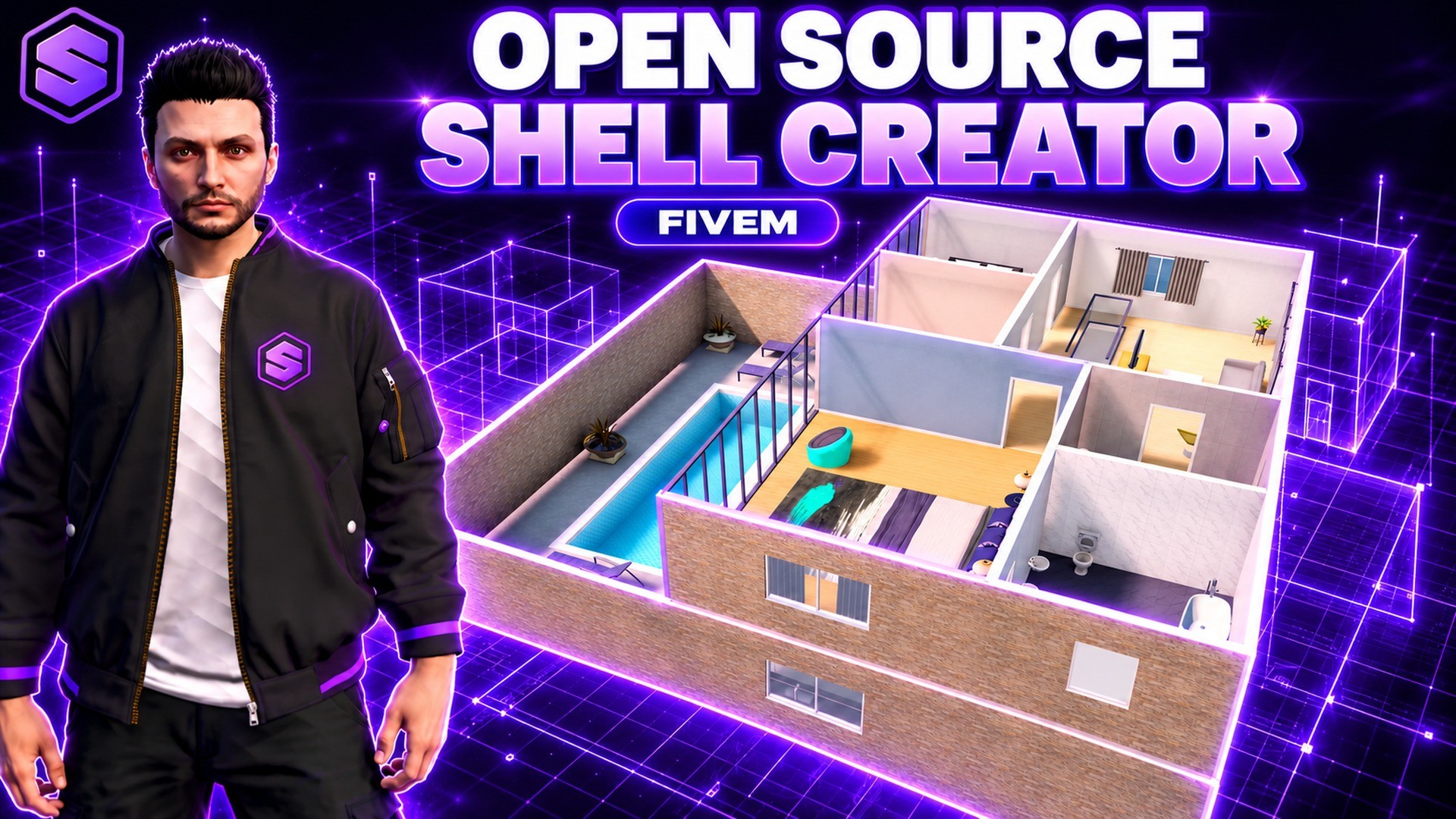
This is the open source edition of SOLID Shell Creator. It is the same creator as the free version with the editor, compile, runtime, teleporter, template and housing code open in plain Lua, so you can add tools, change how shells are built or tie it deeper into your own scripts. The community library connection and the building kit models stay protected, and the bake helper ships compiled.
SOLID Shell Creator lets your staff build interiors in game instead of buying shells. Type /shellcreator, drag a rectangle and the walls, floor and ceiling appear at once. Rooms share walls, and you add full, half and glass walls, railings, real GTA doors, windows, roller garage doors and elevators. Go up to four floors with straight, L, U and spiral stairs, and add columns, round rooms, kitchen runs, gable roofs and pools.
Paint every wall, floor, ceiling and stair with real materials in any colour, add skirting, crown moulding, curtains, blinds and frosted glass, and light each room in its own colour. Furnish it from 2,300+ default GTA props with pictures, search and categories, then press Walk and explore it on foot: doors open with E, garage doors roll up, and the time and weather inside are yours.
Your whole staff can build the same shell at the same time, and every save is kept as a version you can restore. Start from 25 ready templates or download shells other servers shared in the community. Put a finished shell behind any door in the city with a teleporter, copy the ready config for qb-houses, ps-housing, qbx_properties or esx_property, or load it in your own script with one export.
Drag a rectangle and walls, floor and ceiling appear at once. Rooms share walls, and the editor has a top view and a free 3D camera.
Straight, L, U and spiral stairs, elevators, columns, round rooms, kitchen runs, gable roofs and pools.
Real GTA door models, windows, glass walls, railings and roller garage doors, cut straight into any wall.
Paint walls, floors, ceilings and stairs, add skirting, crown moulding, curtains and blinds, and light every room in its own colour.
Default GTA furniture with a picture for every prop, search and categories. Click, place, rotate and duplicate.
Walk through the shell on foot. Doors open with E, garage doors roll up, and the time and weather inside are your choice.
Every admin works on the same shell at once and sees the others live. Autosave and a version history with restore.
25 ready templates for homes, villas, garages, offices, shops and clubs, plus shells shared by other servers, rated by everyone.
Any door in the city leads into a shell. Shared or private instances, access by job, gang, citizen ID, item or password.
Ready config for qb-houses, ps-housing, qbx_properties and esx_property, plus exports, events and open hooks for your own scripts.
The features are the same. The free version is escrow protected with only the config and edit hooks open. The open source edition opens every Lua file except the community library connection. The building kit models stay protected in both.
No. The UI is plain HTML, CSS and JavaScript. Edit it and restart the resource.
No. Run it and change it on every server you own, but do not share, re-upload or resell it, changed or not.
Yes, for the original code. Changes you make yourself are yours to maintain.
QBCore, Qbox and ESX.
Your framework's staff, or anyone with the solidshell.admin ace. Players never open the editor, they only walk into published shells.
Yes. Bake a shell into one light model with the included helper and copy the ready config for qb-houses, ps-housing, qbx_properties or esx_property, or load it in your own script with one export.
No. Every wall and floor is built by the script, and the furniture is default GTA props, so there is nothing extra to stream.
Yes. Everyone on the same shell sees the others' cursors and changes live. Drafts save themselves, and every save and publish is kept as a version you can restore.
A shared library of shells built on other servers. Preview one, download it as your own draft and change anything, rate the best ones, or share your own with a picture.
Put a teleporter on any door in the city. Players walk up and press E, or use your target script, and land inside a shared or private instance.
Rename both commands in config.lua.
/shellcreatorOpen the shell manager and editor
/leaveshellLeave the shell you are in
1 – 0Pick a tool
W A S DMove the camera, Q / E for height
TSwitch between top view and 3D
Ctrl + Z / YUndo and redo


SOLID Multichar with every line of code open, ready to change.